How To Add Characteristics

How To Add Characteristics
1. Login to backend
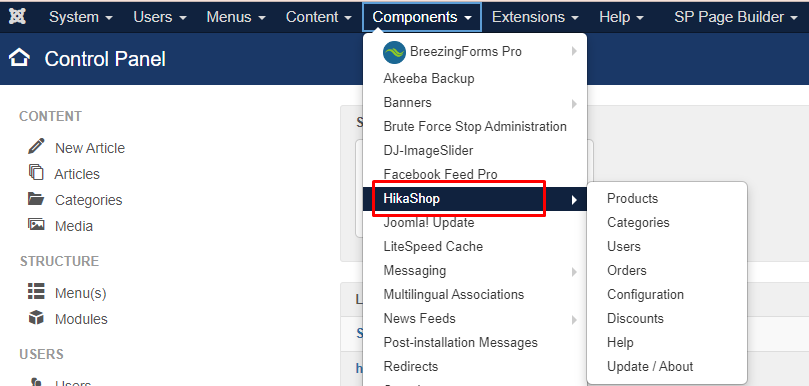
2. Click components -> Hikashop
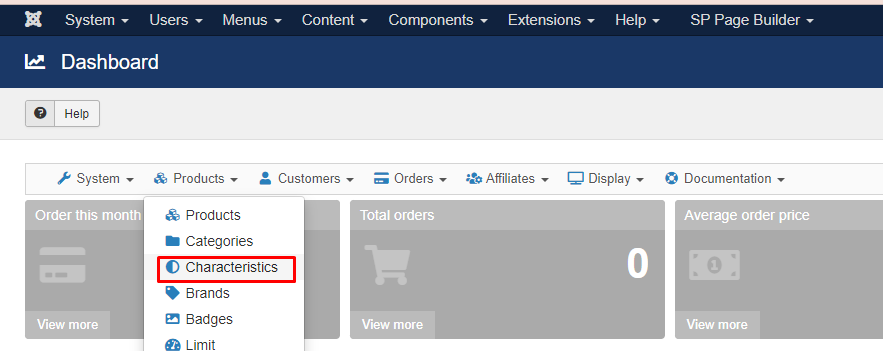
3. Click Products -> Then click characteristics
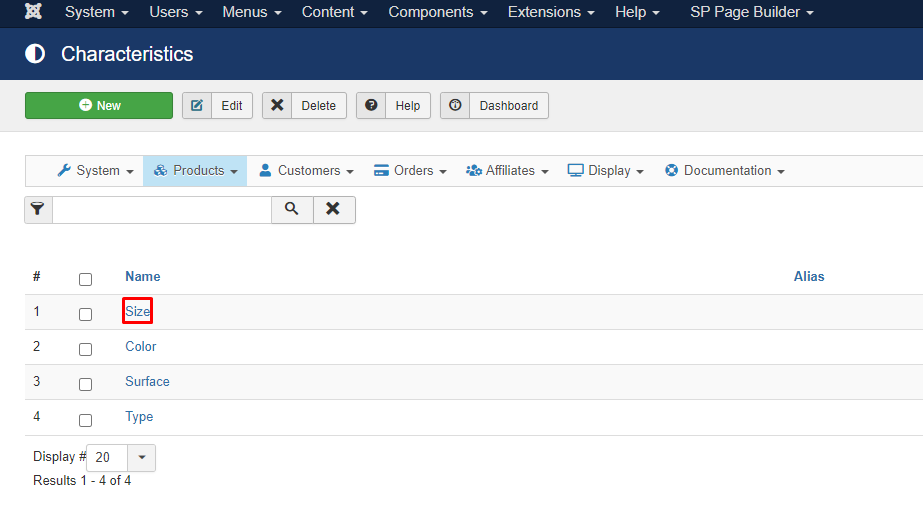
4. Click the name of characteristics that want to be add , example : Size
5. Click +add
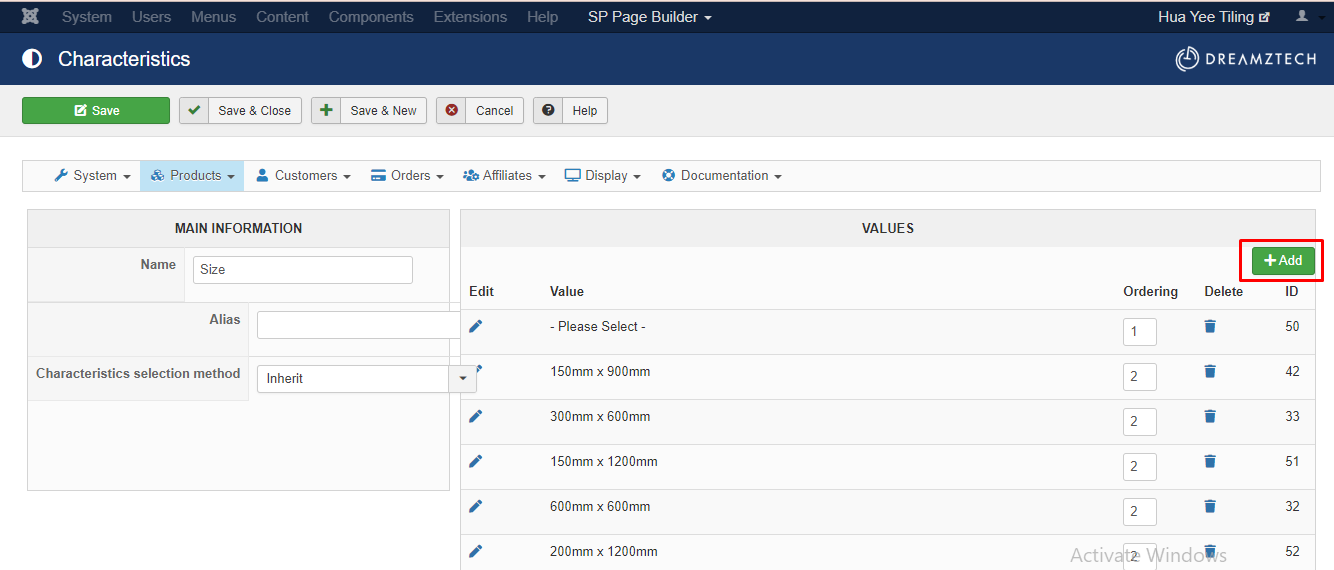
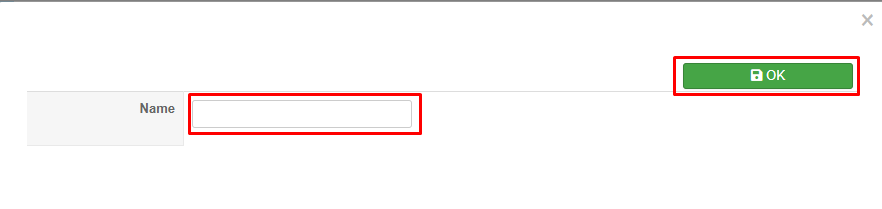
6. Fill in the the name then click "OK"
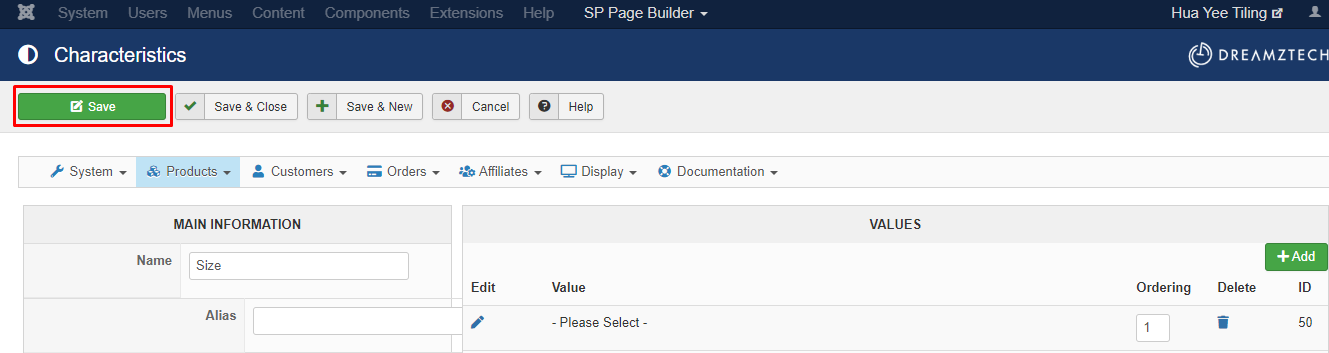
7. Once success in listing , click save.
| 相关帖文 | 回复 | 查看 | 活动 | |
|---|---|---|---|---|
|
|
1
11月 23
|
182 | ||
|
|
1
2月 24
|
201 | ||
|
|
0
1月 24
|
181 | ||
|
|
1
11月 23
|
190 | ||
|
|
1
11月 23
|
208 |