How To Print Report
Welcome!
This community is for professionals and enthusiasts of our products and services.
Share and discuss the best content and new marketing ideas, build your professional profile and become a better marketer together.
This question has been flagged
As a moderator, you can either validate or reject this answer.
1
Reply
189
Views

1. Login to backend
2. Then , search for report that to print. Click the report name.
3. Click "Export" button that at left above. 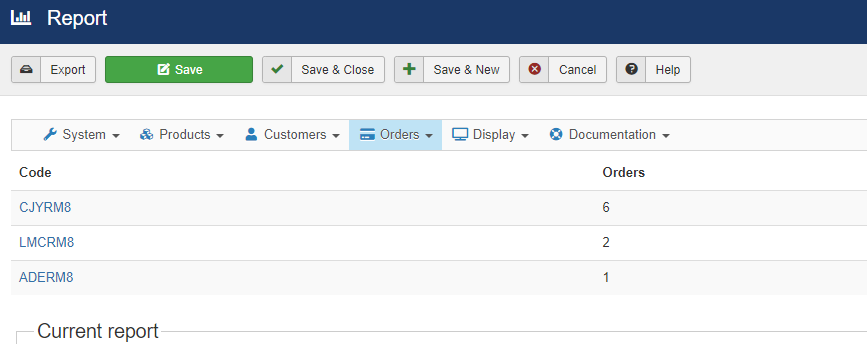
4. Once it done been export , you open in sheets then can print it.
Your Answer
Enjoying the discussion? Don't just read, join in!
Create an account today to enjoy exclusive features and engage with our awesome community!
Sign up| Related Posts | Replies | Views | Activity | |
|---|---|---|---|---|
|
How To Unpublish Product
Solved
|
|
1
Feb 24
|
247 | |
|
|
1
Nov 23
|
198 | ||
|
|
1
Jan 24
|
208 | ||
|
|
1
Nov 23
|
196 | ||
|
How To Export Data
Solved
|
|
1
Nov 23
|
212 |